
When landscaping businesses come to us for SEO marketing, I audit their Google Business Profile (GBP) in the first month. It’s important to do this first, and not just because there’s usually a lot to fix. It’s important to focus on because it’s one of the most important assets a company has to be discovered online.
You may not think a GBP is that complicated. You just fill out your business information, right? However, not filling out information thoroughly can have a huge impact on your profile’s visibility. Google also includes a lot of fields after you initially make your profile. If you don’t update them regularly, or fill them in later, you’re missing out on a huge ranking and visibility opportunity.
Through my years auditing profiles for landscaping and lawn care clients, I’ve learned a lot of tips that can help you gain traction. These changes are simple to implement, but can have a huge impact even before you focus on gaining reviews.
Consider this guide your first baby steps to Google Business Profile optimization.
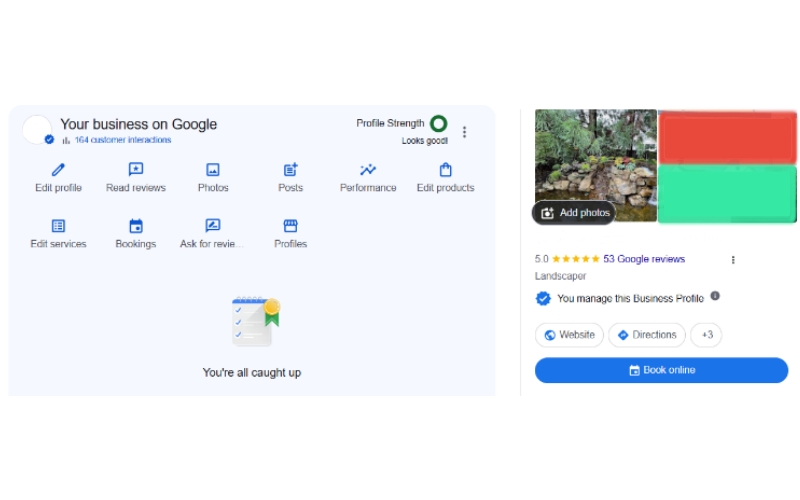
What’s In A Business Name?
It might sound silly, since you know what your business name is. However, it’s important to double-check that your GBP’s business name matches your legal name or your registered DBA (“Doing Business As” name).
Having the same name across the Internet helps search engines like Google connect your listings together. It’s a simple way to boost your SEO by building trust in search engines. That makes it best practice for your listed business names to match exactly, even down to standardizing using “&” or “and”.
You may have seen competitors “keyword stuffing” their business names with their location and services. Something like, for example, “Chuck’s Land Work – Louisville Landscaping”. The business name is only “Chuck’s Land Work”, but this example stuffed in the service area (Louisville) and the service (landscaping).
This goes against Google’s policies and can easily be removed or get your listing suspended. It’s not worth any short-term gains if you can be reported by any competitor for doing it. You can only include a location in your business name if it is a specific location’s branch or if the DBA contains the location. Same rules apply for services.
If you really want to include a service or location, Google officials say to change your DBA! You can make sure your listed business name is meeting Google’s guidelines.
Your Categories (and Why You Need More Than One)
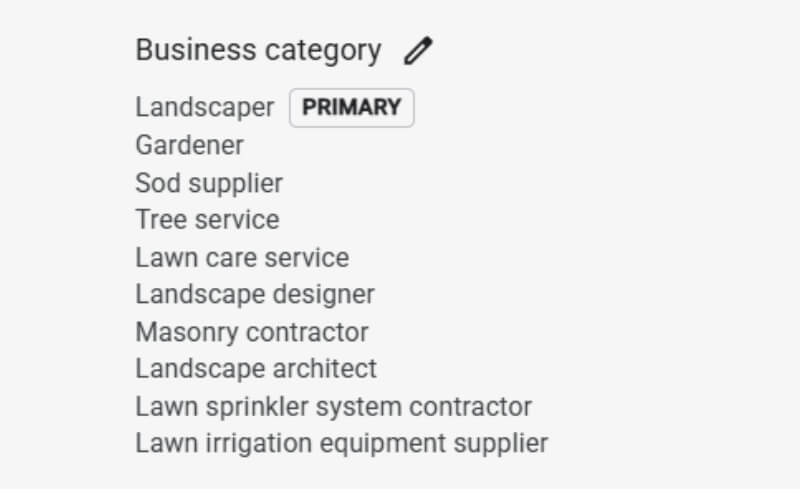
Knowing your business categories seems simple at first. However, you’d be surprised how many categories Google offers for businesses to include! You can add up to nine additional categories alongside your primary category. Since it boosts your visibility, you should add as many categories as possible.
There are different sites that list out every GBP category, though there are a LOT to sift through. You could also type ideas into the “categories” bar and see what pops up! Researching other businesses with those categories helps to see if one makes sense to include for your business.
What Should My Primary Category Be?
Though you can select up to ten categories, you can only choose one to be your primary. If you specialize in multiple categories, like how our clients often perform lawn care and landscaping, it can be a tough choice.
If you’re genuinely split, you could look to your business name for clues. The name might contain a business category, such as “So and So Landscaping”. In this case, selecting “landscaping” as your primary category gives you an edge above other businesses. It repeats the information in ways that keyword stuffers try to copy, but without being spam. Meaning: you get the benefits of high-value keywords without breaking the rules.
What makes this a great test is that, if you see an opportunity and it doesn’t feel right, you’ve started answering yourself on the right primary category to choose.
Changing Your Primary Category and Reverification
Made a mistake? You can change your primary category at any time!
The only thing to keep in mind when changing something major is reverification. Some changes, like changing your business name, primary category, or address, will prompt Google to ask you to verify your business again. This process is the same as when you first set up your profile: lately, they ask you to send in a video of your business and/or supporting documents.
If your business follows Google’s guidelines, it’s not difficult to get reverified. However, your GBP listing will be hidden until Google processes your reverification, which can take up to a few days. Because of this, it’s best to log details about your business right the first time.
Changing your primary category doesn’t trigger reverification as often as changing your business name or address might. This means you can change it with less risk, but keep in mind that major changes could always prompt reverification (especially if you haven’t updated your listing in a while).
Keep Your Hours Updated
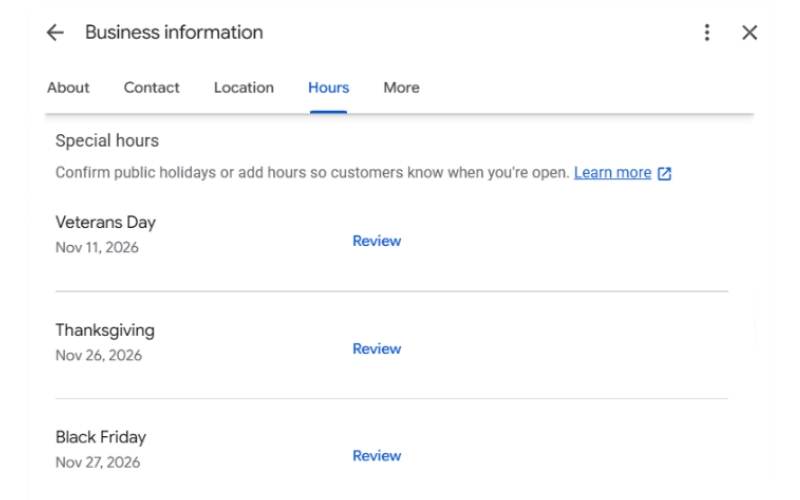
One of the most common work tidbits I pull out in everyday life is telling people not to trust business hours on Google. My friends will complain that some restaurant or store’s hours are different online. Usually, this is after we arrive at a closed business that Google says is open. I’ll reply that business hours change so often, especially with the seasons or a holiday. Google usually doesn’t update hours automatically, so it’s easy to forget to update them unless you have someone dedicated to updating your GBP (like me).
That said, if you don’t update your hours on your Google Business Profile, you are annoying potential customers. If they call you and Google says your business is open, they will expect an answer.
This is a key part of Google Business Profile optimization, in the same way as making sure your business name and business address are accurate. You can also provide hours for a specific holiday ahead of time.
One of the keys to a trending GBP profile is an accurate profile. If you’ve recently extended your hours, that also strengthens your profile! It’s been shown that business profiles rank better during the hours they are open. Plus, if your competitors close at 5 pm and you close at 6 pm, listing that on Google both shows you as available to more customers and will have you rank better in that one hour window.
Add Your Social Media Links (all of them)
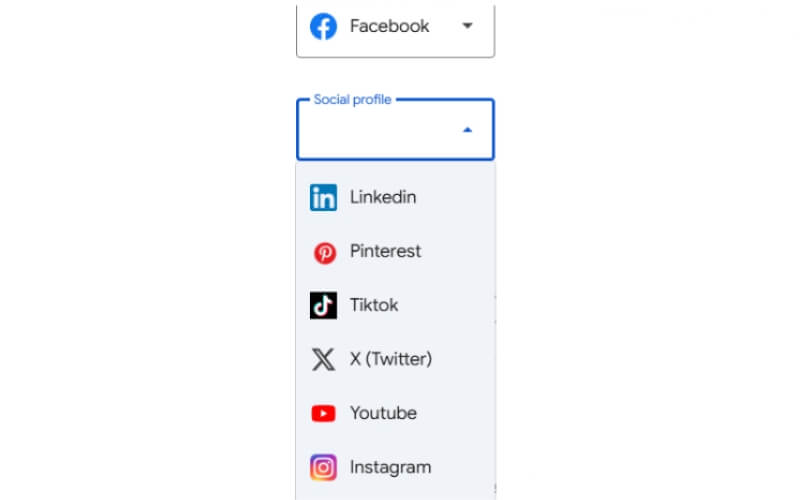
Google rolled out a feature that allows you to add a specific hyperlink to your social media profiles. If you find your business booming on Facebook, this is a great way to lead traffic toward a conversion. The links will appear as a button-like prompt, making it as easy to access as your website.
I’ve noticed a lot of people add their Facebook profiles (at least in our industry), but there are actually a lot of unique links you can add. The options besides Facebook are:
YouTube
TikTok
X (Twitter)
Reviewing Business Services
Many of the business categories you’ve added to optimize your profile have additional tags you can add! Under the “Services” section, you can select or write in different services you provide underneath that category.
It is unclear how much impact these services have, especially ones that you write in yourself. However, checking off what Google provides as services is a ranking factor, especially in your local area. It’s even visible on your profile in some scenarios. This is your chance to show up for every service that you offer, so list them all!
Google AI-Generated Services
You may not think your services require checking very often, but you would be wrong!
Google will sometimes update your services list with terms you otherwise could not select. I’ve seen it since I started doing Google Business Profile optimization. These used to be terrible… and sometimes it still pulls bizarre options.
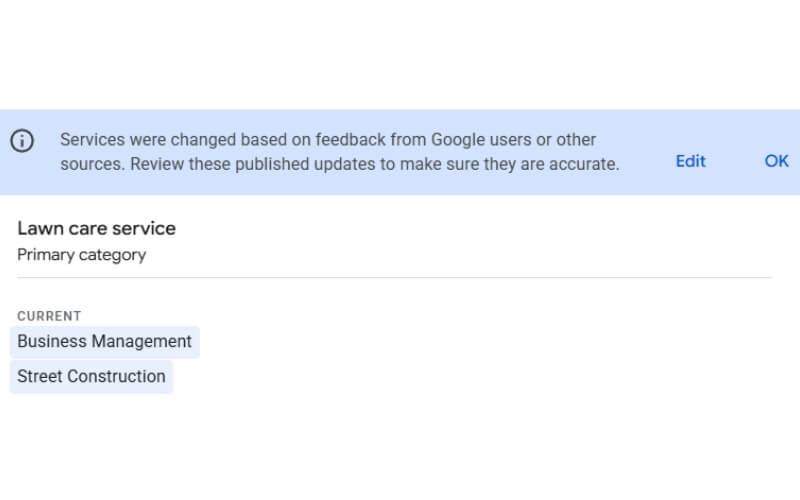
However, recently these auto-generated services have become incredibly accurate.
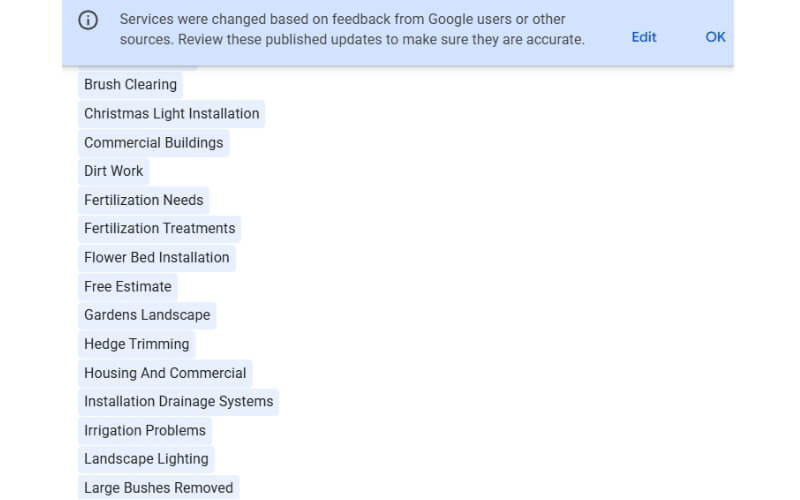
I’ve also found that shortly after creating a profile for a client, I’ll get recommended a much larger-than-usual list. I’d have to test this to be sure, but my guess? Their algorithm pulls content from the linked website and identifies keywords to provide. Like I said, though, just a guess.
These auto-generated services are important to check for three reasons. For one, this allows you to clear your profile of something like “Blowing Off” that makes no sense. It also gives you new service options you might not otherwise think of adding to your profile.
This list provides something very useful: a peek into Google’s algorithm. Google considers these keywords substantial enough to recommend, after all. You can keep them in mind when writing up new posts or website copy.
Post All Your Business Photos
Just because you’ve linked to your social media doesn’t mean you should ignore your GBP photos! Make sure you cross-post photos of crew members or completed landscaping projects in the “Photos” section of your GBP!
GBP guidelines state that you cannot post stock photos or photos with too much text. If you often post these images on sites like Facebook, know that they will most likely be rejected by Google. The best photos to post on Google are ones with minimal editing.
Google also recently added options to show a photo of your business storefront. This is a photo that, like a logo or cover image, they prioritize. Make sure to add a photo here if you have a physical location! Even if customers don’t visit and your address isn’t visible, Google likes having a record of your physical business.
A Quick Note About Reviews
This is less of a tip and more of a disclaimer. Arguably, Google’s most important ranking factor for GBPs (besides physical location) is reviews. Having a large number of reviews, your overall rating, how often you receive reviews, and even the recency of your reviews have a huge impact on visibility. If you implement these tips and still struggle to beat your competitors, compare their reviews to yours and you might see the problem.
However, Google has strict guidelines in place to make sure reviews are genuine and not filtered or unfairly solicited. Though you can’t “optimize” reviews like the tips above, if you want to seriously improve your GBP you have to focus on getting reviews. You can read this guide from the National Business Association for more information and spam-free tips.
For a safe way to get reviews on autopilot, we also recommend checking out NiceJob! It’s what we use for our clients that connects their Quickbooks or CRM to a review management tool that can reach out for you!
Quick Advice About Advanced Tips
You’ve probably seen a lot of hacks people online peddle as fast-tracking you to the top of your local pack. These tips are hard to test when it comes to their effectiveness. This doesn’t mean you can’t try something new! However, when trying to optimize your profile, review “hacks” carefully and think through how they apply to your business. If it feels spammy, remember that Google penalizes spam.
Our agency isn’t willing to risk penalization by Google for a quick hack. From personal experience, I’d also say slower growth is less headache-inducing than a profile suspension. Getting suspended takes a lot longer to fix than reverification.

Need Help With Your Landscaping Company’s Google Business Profile?
These are the basic tips that will immediately give you a boost over other GBPs in your category and local area. There are a lot more tricks that I’ve learned from my work here, but other updates can be very business- and region-dependent. We also specialize in Local SEO for service-area businesses like lawn care and landscaping, so a lot of our examples come from that line of work.
If you want to partner for SEO and marketing work with an experienced and honest company, consider Evergrow Marketing! We take pride in implementing updates the right way.
0 Comments